
Sale!

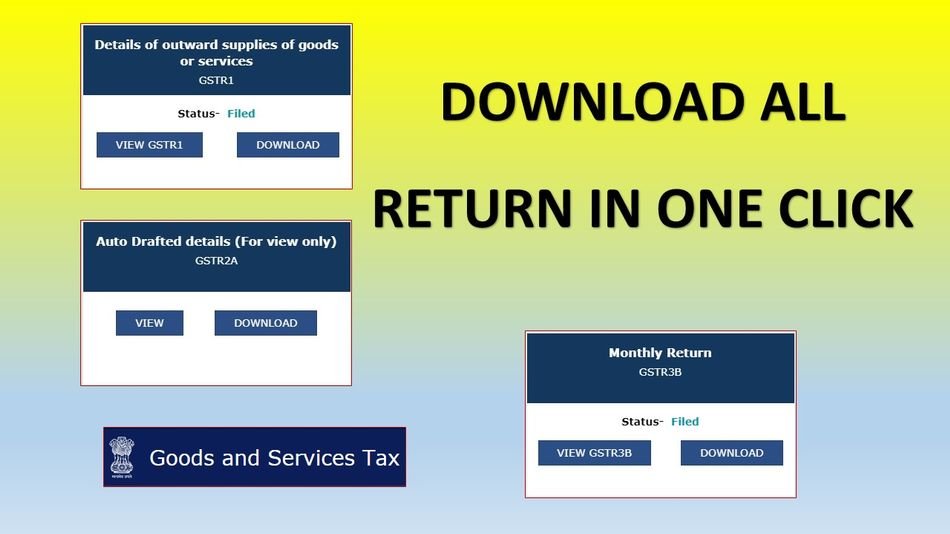
Download All GST Return in One Click
₹199.00
How to Use the GST Downloader Chrome Extension
Getting started is quick and easy. Simply follow the steps below:
Installation & Login
- Install the Taxes India GST Downloader Chrome Extension.
- Open Google Chrome and log in to the GST Portal using your GST credentials.
- Open the Return Dashboard for the required GSTIN.
- Click the Taxes India GST Downloader icon available in the Chrome toolbar.
Download GST Returns
With a single click, you can request and download the following GST return data for all available months:
- ✔ GSTR-3B JSON
- ✔ GSTR-1 JSON
- ✔ GSTR-2B JSON
- ✔ GSTR-2A JSON
- ✔ GSTR-2A Excel
- ✔ GSTR-4 JSON
- ✔ GSTR-4A JSON
- ✔ GSTR-9 JSON
Key Benefits
- ✔ Request and download all supported returns automatically.
- ✔ Download an entire Financial Year’s data in one operation.
- ✔ No need to download each month’s return manually.
- ✔ Saves significant time for accountants, tax consultants, and businesses.
- ✔ Simple, fast, and user-friendly interface.

Reviews
There are no reviews yet.