Import your bank statements into Tally quickly and accurately with minimal manual work.
The Taxes India Excel to Tally – Import Bank Statement Utility helps accountants, businesses, and tax professionals automate bank voucher entries in Tally by converting Excel bank statements into Tally-compatible data.
Product Features
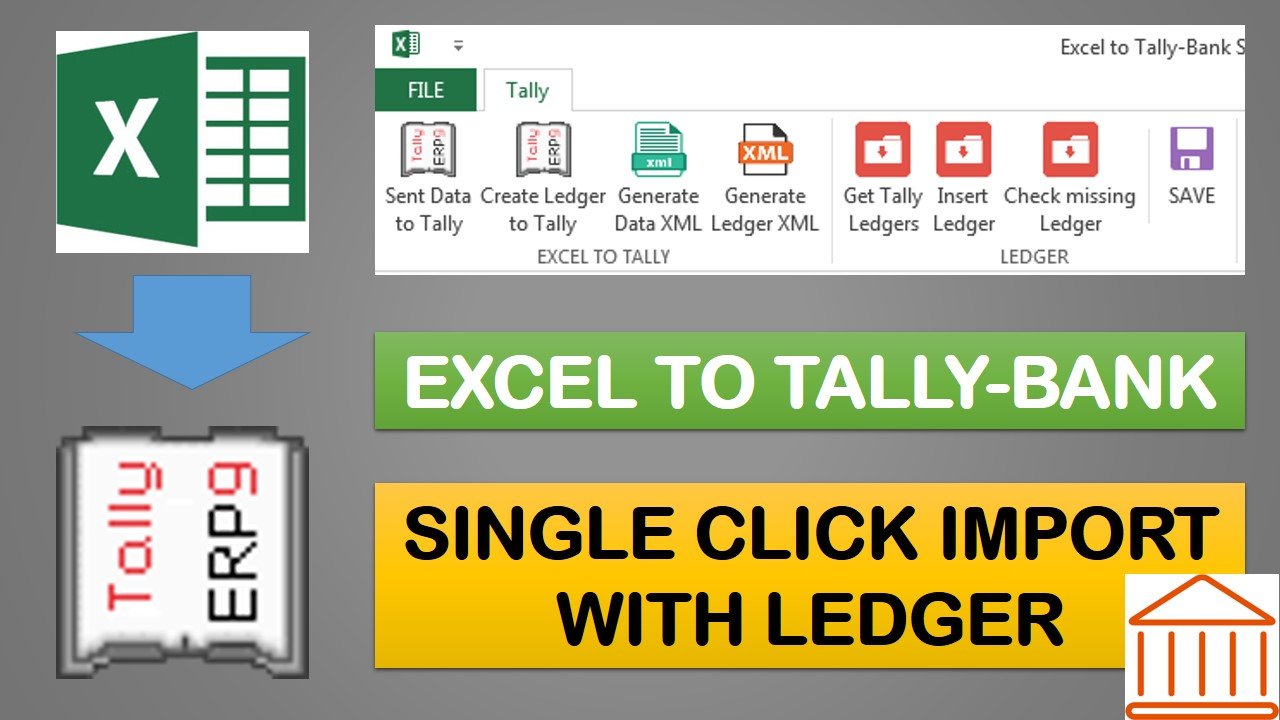
Ledger Management
✔ Export all existing Tally ledgers to Excel.
✔ Use the exported ledger list while preparing bank entries in Excel.
✔ Identify missing ledgers between Tally and the Excel data.
Ledger Creation
✔ Create missing ledgers by generating XML for manual import into Tally.
✔ Create missing ledgers directly in Tally with a single click.
Bank Voucher Import
✔ Import all bank transactions by generating XML for manual import into Tally.
✔ Create bank voucher entries directly in Tally without manual XML import.
✔ Reduce manual data entry and improve accuracy.
✔ Save valuable time in bank reconciliation and accounting.
Benefits
Import large volumes of bank transactions effortlessly.
Eliminate repetitive manual voucher entry.
Automatically identify and create missing ledgers.
Supports both XML import and direct Tally integration.
Suitable for accountants, CA firms, tax consultants, and businesses.
System Requirements
Microsoft Excel 2010 or later
Windows Operating System
Tally ERP 9 / TallyPrime
Administrator rights to run the application
Installation Instructions
Save the utility and all setup files in the same folder.
Right-click the application and select Run as Administrator.
Follow the on-screen instructions to start using the software.
License Information
License key will be issued within 24 hours after purchase.
License validity: 1 Year.
License can be activated on one computer only.
Activation codes will not be reissued for a different computer under any circumstances.




Reviews
There are no reviews yet.